
You do not need to create an account to search for applications on the planning register.
Search for applications using the advanced search filter
To find the advanced search, go to the planning register homepage.
Select the ‘advanced search’ option beneath the search icon.
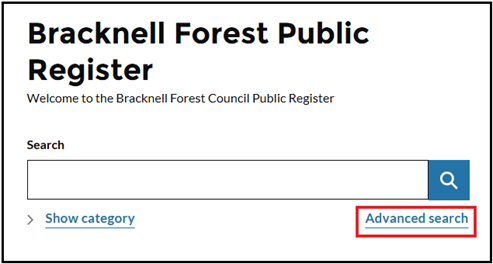
The page will open with a selection of filters to choose from.
Choose your search criteria
From the drop down list, select the application category you would like to search. You can choose from:
- building control applications
- planning appeals
- planning applications
- planning enforcements
You can narrow your search by entering different criteria. The simplest way to search is by entering the ‘valid from’ and ‘valid to’ dates.
A list of all relevant applications will be displayed.
View results as a table
You can view results as a table by selecting that option from the top right hand side of the page.
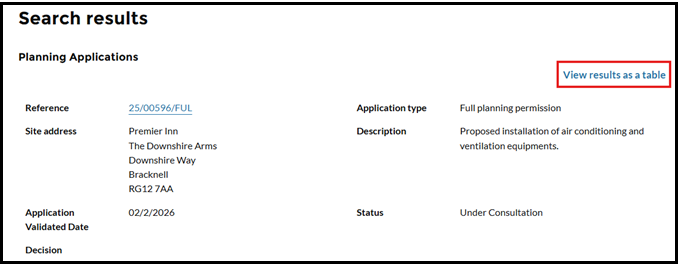
Each application number is a link to the full application details and documents.
Open an application
Find the application you want and select the application number link.
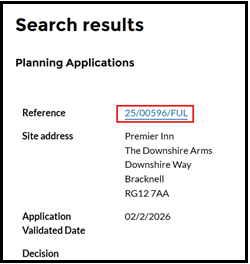
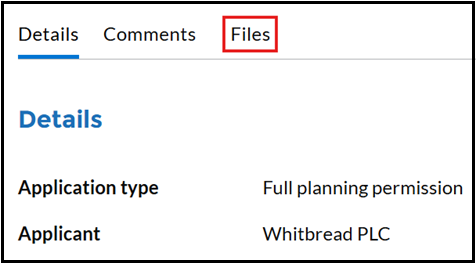
The application details page will open.
You can view all available documents from this page.
Other ways to search
Using the search bar on the planning register homepage, you can also search by:
- a full or part address
- planning application number
Once entered, select ‘search’ to display the results.
If helpful, select ‘View results as a table’.
Comment on an application
Select the application you would like to comment on.
Select ‘Comment’ and the online form will open.
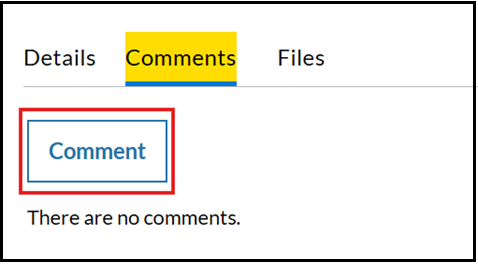
Fill in all the required fields. When you have finished, select ‘Submit’.
Your comment will be sent automatically to the council’s system.